



|
Name |
SCRL |
|---|---|
|
Google Play Link |
GET IT ON
Google Play
|
|
Category |
Photography |
|
Developer |
Appostrophe AB |
| Last version | 1.33 |
|
Updated |
|
|
Compatible with |
Android 7.0+ |
Introduction to SCRL MOD APK
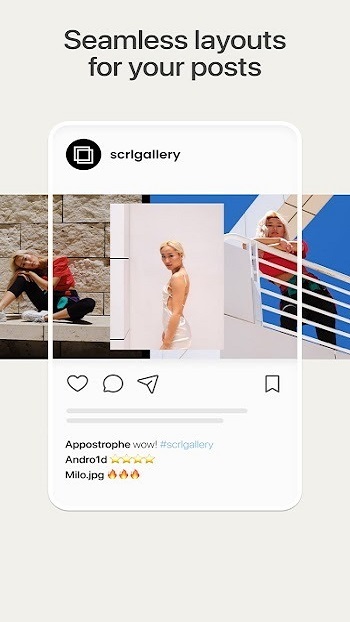
SCRL MOD APK is a photo editing app built for making collages and swipe-style Instagram carousel posts. It gives users a simple workspace to arrange images across multiple slides, add text or graphic elements, and shape a post that feels connected from one frame to the next. The main idea is clear: help people turn a bunch of separate photos into one polished social post without spending hours on manual editing.
The app is mainly used for social media design. People use it to create photo grids, panoramic carousel layouts, and visual storytelling posts that stretch across several Instagram slides. It also supports freeform editing, so users can move images around more freely instead of being stuck with a rigid template. That makes it handy for travel recaps, event posts, mood boards, artist updates, brand promos, or casual “I took too many good photos to choose one” moments.
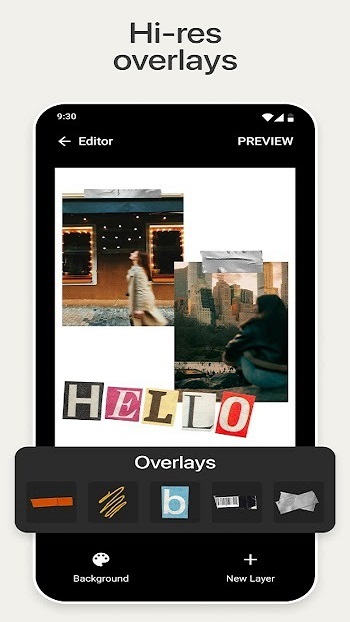
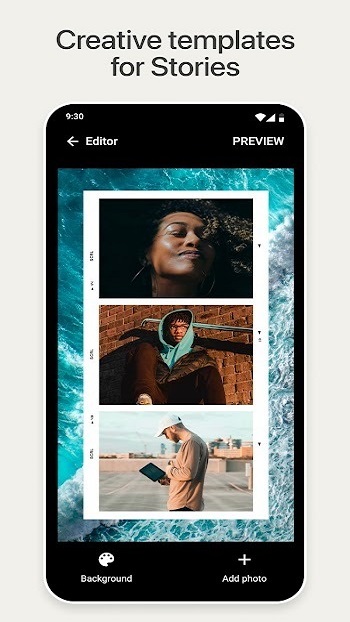
One of its biggest strengths is convenience. SCRL comes with ready-made templates, stickers, overlays, and text tools that speed up the design process. Instead of building every layout from zero, users can start with a structure and adjust it to match their style. The carousel feature is especially useful for creators who want one image to flow smoothly into the next slide, since that look usually takes extra planning in regular editing apps.
SCRL MOD APK may appeal to users who want easier access to premium-style tools or fewer restrictions while editing. That can make the app feel faster and more flexible for people who post often. A wider set of templates, extra design options, and support for more detailed layouts can save time when you need content that looks clean and consistent. For creators, small business owners, and Instagram-heavy users, that kind of shortcut matters more than another filter pack nobody asked for.
There are still a few limitations to keep in mind. Apps like this depend a lot on personal style, so users who prefer very advanced manual editing may find the tools a bit focused on social content rather than deep photo retouching. A modified APK version can also raise concerns around security, app stability, updates, and account safety. Some users may run into bugs, missing support, or features that stop working after the official app changes its system.
This app suits content creators, influencers, artists, small brands, and anyone who wants their Instagram posts to look more organized without using complicated design software. It works best when you need to tell a visual story across multiple images, promote something in a neat format, or build a collage that looks intentional instead of random. This overview was written from the app’s listed features and practical use cases, with a focus on what real users would want to know before installing it.
FAQs SCRL
What is SCRL MOD APK?
+
SCRL MOD APK is a modified version of the SCRL photo editing app that helps users make collages, Instagram carousel posts, and multi-slide visual layouts with more flexible editing tools.
What is SCRL MOD APK used for?
+
It is used to create social media visuals, especially Instagram posts that span multiple slides, along with collages, mood boards, promotional graphics, and story-based photo layouts.
Who should use SCRL MOD APK?
+
It is most useful for content creators, influencers, small business owners, artists, and regular Instagram users who want cleaner and more creative post layouts without complex design software.
What features make SCRL MOD APK popular?
+
Popular features include collage templates, carousel post creation, freeform canvas editing, stickers, overlays, text tools, and support for arranging many photos into one connected post.
Are there any risks or downsides to SCRL MOD APK?
+
Yes. A modified APK can come with security concerns, unstable performance, missing updates, and limited official support, so users should be careful before installing it.
Discover More Interesting Apps
-
 Mod
Mod
Polish
v1.811.267
47.25 Mb
Updated -
Mod
LightX Pro
v2.5.15
166.05 Mb
Updated -
Mod
OldRoll
v6.8.0
141.73 Mb
Updated -
Mod
Kapi Cam
v4.43.0
159.30 Mb
Updated -
Mod
Dazz Cam
v5.0.49
24.90 Mb
Updated -
Photobooth Web
v511
92.91 Mb
Updated -
Mod
Motionleap
v1.9.2
115.59 Mb
Updated -
Mod
PhotoRoom
v2026.43.04
234.71 Mb
Updated -
Lightleap
v1.6.2
119.57 Mb
Updated -
Mod
Magic Eraser
v3.3.23
38.54 Mb
Updated









Share Your Thoughts